Turn Any Web App Into an AI Agent: MCP Skills for Platforms Not Built for Automation
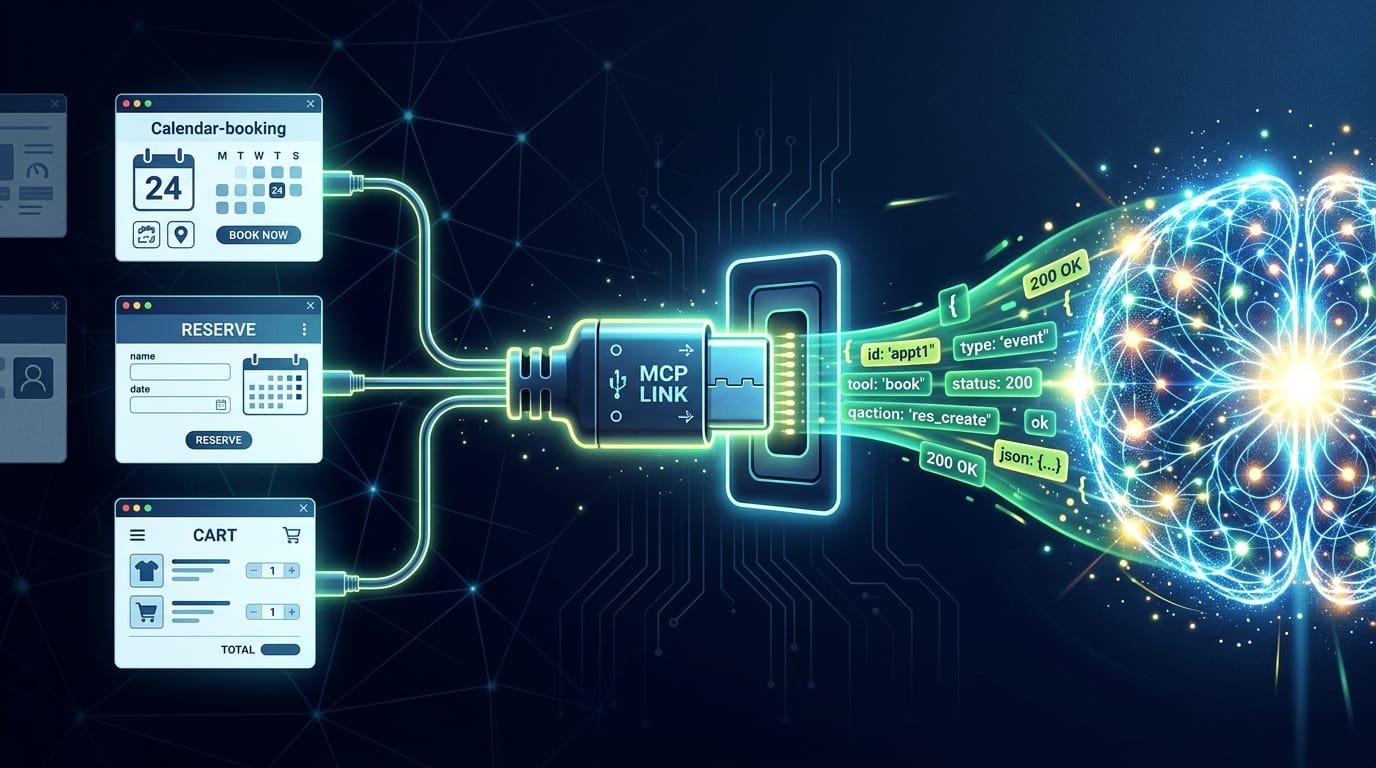
Most apps you rely on were never meant to be automated. They have a tap-here-tap-there UI for humans, a private backend, and no API in sight. This is about wrapping one of them — our office parking platform — as an MCP skill an AI agent can drive on its own, at midnight, every night. Eight tools. Eight failed payload guesses. Three independent ID spaces hiding behind every booking. And one bypass that really shouldn’t have worked.
The parking part is incidental. By the end you’ll have a recipe that works on the gym-booking site, the restaurant reservation page, the internal approval tool — anything with a web or mobile surface.
In Part 1 — MCP Server in an Evening, we built a Python MCP server that could list, create, and cancel parking reservations: ~650 lines, two dependencies, and “reserve parking for tomorrow” felt like magic. Then the platform changed, and the magic broke.
Two new constraints appeared:
- Reservations had to show up in the mobile app — not just exist in the database. The app is what the gate reads, what colleagues check, what people ops trusts. A booking the app hides is a booking that doesn’t exist, socially.
- The web UI and the mobile app diverged — different request shapes, different visibility rules, different auth. What worked for one didn’t work for the other.
The simple POST /api/reservations from Part 1 still created bookings — but the mobile
app quietly ignored them. We had to start over, and along the way we worked out a method
that generalizes far beyond parking.
The shape of the problem (and why it’s everywhere)
Here’s the structure, and it’s the same on every app like this:
- There’s a client (an app or browser) you can watch.
- There’s a backend you can probe.
- There’s a gap between what the client does and what the backend accepts — and that gap is where the real automation lives.
What follows is the parking version, but every technique maps to any reservation, booking, or internal app. I’ll flag the transferable bits as we go.
Reconnaissance
Open DevTools (F12 → Network). Perform every action in the app once. “Copy as cURL” on each request. Thirty minutes later we had the map:
| Action | Endpoint | Method |
|---|---|---|
| List reservations | /api/reservations | GET |
| Reservation detail | /api/reservations/{id} | GET |
| Create (instant) | /api/reservations/instants | POST |
| Create (company) | /api/reservations/requests | POST |
| Cancel | /api/reservations/{id} | DELETE |
Auth is a JWT Bearer token in the Authorization header — copied from DevTools, dropped
into .env. (More on why that stopped working later.)
Two quirks worth noting, because they’ll bite you on any platform:
- Every timestamp is UTC ISO-8601 with milliseconds and a
Zsuffix (2026-06-14T22:00:00.000Z). Not local time. Not even the timezone the UI displays. - There are two “create” endpoints. The first sign that the mobile app and the backend disagreed about what a booking even is.
Transferable: the Network tab is step zero on every app. Look for the gap between what the UI sends and what the “documented” endpoints accept.
The first wall
Our Part 1 script hit POST /api/reservations/instants and created bookings fine. The
database had them. The mobile app did not.
Every reservation carries a flow field:
flow=ON_DEMAND— what our script produced. Hidden in the app.flow=STAFF_BOOKING— what the mobile app creates. Visible.
The mobile app uses the other endpoint — POST /api/reservations/requests — which takes
a blocks[] array. We didn’t know its schema. So we guessed. Eight times.
// Attempt 1 — array of date ranges
{ "blocks": [{ "from": "2026-06-15T22:00Z", "to": "2026-06-16T06:00Z" }] }
// → 500 Unexpected Server Error

// Attempt 4 — named slot objects
{ "blocks": [{ "slotId": "A-12", "date": "2026-06-15" }] }
// → 500 Unexpected Server Error

// Attempt 8 — nested type/discriminator shape
{ "blocks": [{ "type": "daily", "value": { "date": "2026-06-15" } }] }
// → 500 Unexpected Server Error
Eight shapes. Eight 500 Unexpected Server Error responses. No validation message, no
schema hint — just the server shrugging. We were trying to brute-force a payload the
backend never intended us to know.
Transferable: a
500with no body usually means you’ve found an internal endpoint never meant for clients. Stop guessing the schema — find the client that does call it correctly.
The breakthrough — a hidden form
Dead end on the API, so we went sideways — to the web app (app.examplepark.io). On a
hunch we searched the page source for request. Buried in the HTML:
<template hidden aria-hidden="true">
  ...a fully formed booking form...
</template>
A <template> — an SSR framework template, hidden from rendering but present in the DOM.
We unhid it in DevTools (hidden=false) and a working booking form appeared. We submitted
it and captured what it actually sent.
It did not call /api/reservations/requests. It called a server action:
POST /_actions/book?ref=aB3xK9mQz1P
Content-Type: multipart/form-data
A server action is server-side code triggered from the client. The handler runs on the
server, builds the correct blocks[] payload internally, calls the internal API, and
returns the result. We never see blocks[]. We don’t need to.
The bypass: call the server action directly and skip the schema entirely. Same
form fields the hidden form sends, same auth session. Result: a flow=STAFF_BOOKING
reservation — visible in the mobile app.
Us (Part 1)        →  POST /api/reservations/instants   →  hidden booking       ✗
Mobile app users   →  POST /api/reservations/requests   →  needs blocks[]       ✗
Us (Part 2)        →  POST /_actions/book               →  STAFF_BOOKING        ✓
Transferable: when a REST endpoint is opaque, look for a server action or backend-for-frontend layer. SSR frameworks (Remix, Next.js, and the rest) almost always have one. It was built for the real client — which means it accepts input you can reproduce.
Authentication — cookies that expire in seconds
The web app uses auth.js v5 (the NextAuth successor) with session cookies. We grabbed a cookie from DevTools and used it. It worked — for about five seconds. auth.js rotates the session cookie on every request. Capture one, and it’s already stale by the time you replay it.
Same lesson as the blocks[] wall: stop replaying captured artifacts and find the fresh
source. auth.js exposes a credentials sign-in:
POST /auth/callback/credentials
Content-Type: application/x-www-form-urlencoded

email=...&password=...&csrfToken=...
Hit that, and you get a brand-new session cookie every time. Our create_reservation tool
now signs in fresh on every call — no browser, no stale cookies, no rotating-token
headaches.
def create_reservation(date):
    session = web_session.login(EMAIL, PASSWORD)  # fresh cookies each call
    return actions.book(session, date)            # → flow=STAFF_BOOKING
Transferable: any modern web stack has a re-authentication path. Find it, automate it, and stop storing captured tokens. (For apps where this is against the ToS, respect the ToS. For your own company’s internal tools, this is just integration.)
Eight MCP tools
With the bypass and auth sorted, we rebuilt the skill — eight tools, each solving one concrete problem:
| # | Tool | Why it exists |
|---|---|---|
| 1 | get_dates | Timezone-safe “what day is it here” reference (see the Timezone War) |
| 2 | check_availability | Lot occupancy + whether I already have a spot |
| 3 | list_all_reservations | Who’s parking tomorrow? (minimal fields by default) |
| 4 | list_reservations | My bookings in a date range |
| 5 | get_reservation | Full detail of one booking |
| 6 | create_reservation | Books via the server action → STAFF_BOOKING |
| 7 | cancel_reservation | Soft-delete with ownership check |
| 8 | get_qr_code | Gate-ticket QR (critical fallback when plate recognition fails) |
One detail matters more than it looks: list_all_reservations takes a detail flag, and
the default is minimal — names and dates only. The full payload (plate, slot, status,
timestamps, ticket IDs) is opt-in. When someone asks “who’s parking tomorrow?”, the agent
doesn’t need thirty rows of fields dumped into its context. Making the cheap path the
default is token-aware design: the agent gets the answer it actually asked for, and you
don’t pay to carry fields nobody requested through the rest of the conversation.
The build loop with the AI agent was the same every session: probe → implement → verify live → document → commit. “Read the docs, write the code, test it for real, fix what breaks.” Live testing caught bugs that code review never would — a tool that looked correct would book the wrong day, and only a real reservation proved it.
Transferable: the tool list is the contract between you and the agent. Each tool answers one question the agent needs (“is it free?”, “is it mine?”, “what’s today?”). Design the tools, not the prompts.
The timezone war
This deserves its own section because it’s the #1 bug in any agent-driven system, and we hit it hard.
The agent runs on a Raspberry Pi 5 whose system clock is UTC. The user is in Europe/Bratislava (UTC+2 in summer). “Tomorrow” means different things to each of them. The agent kept booking the wrong day — correctly, from its own perspective.
Documentation didn’t help. Every date parameter had
description="CRITICAL: use TZ=Europe/Bratislava". The agent read it. The agent ignored
it. Repeatedly.
The lesson: warnings in docs are insufficient. You need structural guardrails that make wrong behavior impossible. Four layers:
- A dedicated
get_dates()tool — step zero. The agent must call it first and read today/tomorrow from the response. It never computes dates itself. - A footer on every tool response:
[Bratislava: Sunday, 2026-06-14, 22:00 CEST]— impossible to miss, echoed on every call. - Schema warnings on every date parameter (defense in depth, even though layer 1 does the real work).
- Server-side formatting — every response carries the full weekday + CEST tag.
@mcp.tool
def get_dates():
    """STEP 0: always call this before any date argument."""
    now = datetime.now(ZoneInfo("Europe/Bratislava"))
    return {
        "today": now.strftime("%A %Y-%m-%d"),
        "tomorrow": (now + timedelta(days=1)).strftime("%A %Y-%m-%d"),
        "_footer": f"[Bratislava: {now.strftime('%A, %Y-%m-%d, %H:%M CEST')}]",
    }
Transferable: AI agents are fast and dumb — and that’s by design. Shallow reasoning is what keeps them cheap and quick; every extra token of deliberation is latency and cost. They don’t verify assumptions, and you don’t want them to. So put the thinking in the tool, not the model: return the load-bearing value (a date, an ID) precomputed and formatted, and the agent reads it back instead of deriving it. Design MCP responses to be short and self-verifying — it beats documentation warnings and saves tokens on every call.
QR forensics
The gate reads license plates, but plate recognition fails sometimes. The fallback is a per-reservation QR code the mobile app can display, and we wanted the agent to fetch it.
This turned into a side quest. We captured a handful of samples, stared at their structure
longer than I’d like to admit, and cross-referenced them against the reservation detail
page — where it turned out the QR is server-rendered as a PNG in the HTML, not
generated client-side. That collapsed the whole problem: get_qr_code just fetches the
detail page, extracts the PNG, and saves it to disk. The agent sends it over Telegram; the
user shows the phone to the scanner.
A useful aside: this app, like most multi-system apps, keeps parallel ID spaces — the public reservation ID the API knows, a separate ticket ID the gate cares about, and the gate’s own external ref. They all point at the same physical booking but live in different databases, and only the detail page joins them.
Transferable: never assume one ID. Find the join key before you build automation that touches more than one system.
When the vendor locks a route
Mid-project, the web app’s company dashboard routes started returning 403 Forbidden. Our web-based occupancy visualizer broke overnight. The vendor had locked down a surface we depended on.
The reservation routes — and, importantly, the backend API and the server action — stayed
open. We adapted: everything that used to read the dashboard now reads from
/api/reservations instead. The skill kept working because we’d built it against the
stable layer (API + server action), not the cosmetic layer (dashboard HTML).
Transferable: vendors lock down UIs all the time — rate limits, bot checks, route 403s. Build against the layer least likely to change: the data API and server actions, not scraped HTML. When a route dies, you swap the source, not the skill.
The recipe — for any app
Strip the parking away and here’s the transferable method:
- Watch the real client. DevTools Network tab. Map every request the official app/browser makes. This is your spec.
- Find the gap. Somewhere the client sends a shape you can’t reconstruct (our
blocks[]). Don’t brute-force it. - Locate the trusted caller. A server action, a BFF, a hidden form, a credentials callback — anything the real client uses and you can replay.
- Automate re-authentication. Never store captured tokens or cookies. Find the login flow and call it fresh. Rotating sessions become a non-issue.
- Design tools, not prompts. One MCP tool per question the agent needs answered. Put load-bearing values (dates, IDs) in tool responses, not arguments.
- Add structural guardrails. A
get_dates-style reference tool, a footer on every response, schema warnings. Make wrong behavior impossible, not just discouraged. - Build against the stable layer. API + server actions, not scraped HTML. When the vendor locks a route, you swap the source.
- Test live, every iteration. Probe → implement → verify on the real system → document → commit. A tool that “looks right” will book the wrong day.
If an app you depend on has no API, build one around it. That’s the whole pitch.
Lessons learned
About API reverse-engineering:
- The Network tab is your spec. The mobile app (with its SSL pinning) is hard — but the web app usually exposes the same backend.
- Hidden HTML elements (a
<template hidden>) reveal functionality the REST API hides. - A
500with no body means “internal endpoint, not for you.” Find the client that calls it correctly. - Rotating sessions (auth.js) are solvable by automating re-authentication, not by hoarding tokens.
About AI agent integration:
- Agents are dumb by design — kept shallow to stay fast and cheap. Every token of reasoning is latency and cost, so put the thinking in the tools, not the model.
- Timezone handling is the #1 source of bugs. Structural guardrails beat doc warnings.
- Every tool response should include context the agent can verify against — the footer, the formatted date.
- Design tools as the contract: one tool per question, and keep responses short and self-verifying to save tokens on every call.
About project structure:
- Separate
parking-reservation/(synced to the agent) fromdocs/(source repo only). .envfor secrets;constants.pyfor service-intrinsic values (lot IDs, capacities).- Documentation is a living artifact — capture every discovery immediately.
Final thoughts
Every night at midnight, a cron job wakes the agent. It calls get_dates, checks
availability, and — if tomorrow looks free — books a STAFF_BOOKING slot via the server
action. By morning it’s in the mobile app, visible to colleagues, readable at the gate. No
one taps anything.
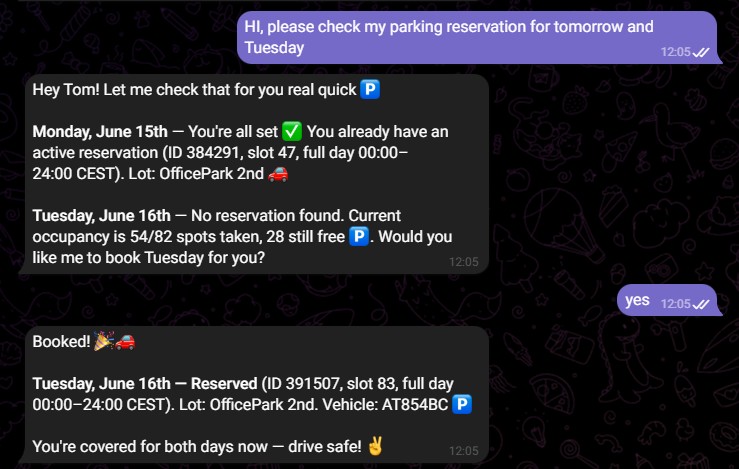
The parking platform was never built for this. That’s the point. The apps around you — the booking page, the reservation tool, the internal portal — all have a client you can watch, a backend you can probe, and a trusted caller you can replay. Wrap that as an MCP skill and any AI agent can drive it.
If an app you rely on has no API, build one around it.