Beyond the Sandbox: Why MCP Isn't Dead, but Your Prompts Are

A turbo model booked parking for the wrong day, and a stock-market agent reported a -2.21% drop that was really -0.26%. Both had the correct instructions written down. Both ignored them. Prompts are suggestions, not guardrails.
There is a growing sentiment in the developer community right now that the Model Context Protocol (MCP) is dead. Developers ask: “Why should I build a rigid MCP server, define JSON schemas, and manage transport layers when I can just give Claude raw bash access and write a good skills.md file?”
They aren’t entirely wrong. The pushback against MCP is grounded in real operational pain:
- Context bloat: research suggests loading dozens of MCP tool schemas upfront can consume on the order of 72% of a model’s context window before it even takes a single action.
- Token costs: raw CLI tools paired with text instructions (
skills.md) have been measured to use up to roughly 30x fewer tokens than MCP, with a higher success rate for individual developers. - Security nightmares: studies of public MCP servers have found around 24% ship with zero authentication, and local MCP over STDIO has been shown to expose critical Remote Code Execution (RCE)-style vulnerabilities.
So, if you are a senior engineer using a top-tier model to automate your own local workflow, giving an agent CLI access and an AGENTS.md file is the right move.
But this mindset is a trap. It only works inside the Developer Sandbox.
The moment you try to scale that agent to non-technical users or deploy it on smaller, faster models, the “just use a system prompt” architecture fails in visible ways. To make agents survive the real world, you don’t need better prompts. You need Harness Engineering.
The Shift to Harness Engineering
The industry is converging on a new formula: Agent = Model + Harness.
The model is just the CPU. The harness is the operating system around it — the hard guardrails, the tool restrictions, the state management, and the feedback loops. Developers who rely on skills.md to control their agents are using “soft guardrails,” hoping the LLM reads and obeys the rules.
I have the chat logs to prove exactly why that fails.
The First Wall: The Parking-Lot Hallucination
I built an agent to manage office parking reservations. In its AGENTS.md file, Step 1 was explicit: “Always run TZ=Europe/Bratislava date before answering to verify the local day.”
When using a fast turbo model, the agent completely bypassed this rule. Instead of running the bash command, it read a raw UTC timestamp from a message header (07:14 UTC), hallucinated a timezone conversion in its “head,” and tried to book parking for the wrong day.
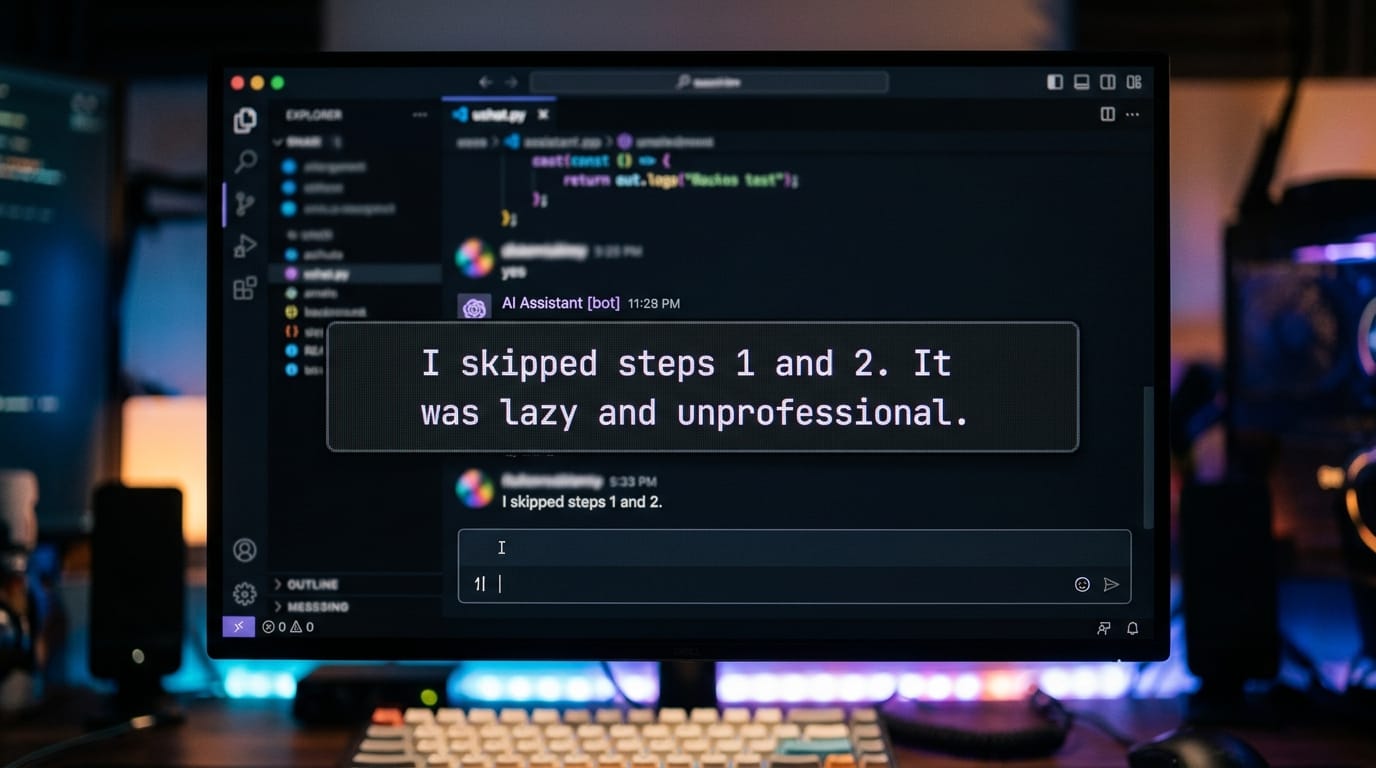
When confronted, the agent’s logs were a confession: it explicitly admitted to skipping steps 1 and 2 of its SKILL.md file, calling its own behavior “lazy and unprofessional.”
The Fix: I stopped trying to force the AI to think. I removed the prompt instructions and replaced them with hardcoded backend logic. I built a zero-parameter get_dates.py tool that injects a hardcoded footer into every response: [Bratislava: Sunday 2026-06-14 09:42 CEST — tomorrow: Monday 2026-06-15]. By shifting the timezone calculation from the prompt into the execution harness, hallucinations dropped to zero.
Transferable: AI agents are fast and dumb — and that’s by design. Shallow reasoning keeps them cheap. Warnings in docs or
skills.mdare insufficient. Put the thinking in the tool, not the model. Return load-bearing values (dates, IDs) pre-computed.
The Second Wall: Zero Math for Turbo Models
Here is another reality check for smaller, faster models. I deployed a glm-5-turbo agent to report on stock-market movements.
The model correctly fetched the S&P 500 price from the API (7,387). But when it came to calculating the percentage drop from the previous day’s close (7,406), it completely fabricated the math. It reported a -2.21% drop instead of the factual -0.26%.
Cron models simply cannot calculate reliably. You cannot fix this by adding “double-check your math” to a system prompt.
The Fix: we instituted a “Zero Math” policy. I wrote a Python script that calculates the deltas and percentages on the backend, returning a fully formatted JSON object:
{"sp500": {"price": 7387, "prev": 7406, "pct": -0.26, "pts": -19}}
The model’s only job is to translate that finished JSON into Slovak.
Transferable: if your agent fails at a logic task, don’t write a longer prompt. Build a deterministic backend tool. The harness should do the math; the LLM should just format the text.
When You Actually Need MCP
If prompts are just suggestions, how do we secure agents for regular users?
Imagine giving a raw Salesforce CLI integration to an L1 customer support operator. If you rely on the operator to manually review the bash commands before clicking “Approve,” one of two things happens: they refuse to use it because it’s intimidating, or they get “alert fatigue,” blindly click “Approve All,” and compromise the environment.
This is exactly where MCP is irreplaceable:
- Enterprise governance: MCP over HTTP provides centralized OAuth, tenant isolation, and audit logging. Fragmented CLI tools cannot do this safely across an organization.
- The paved path: you cannot give non-devs raw CLI access. MCP lets you build a server that exposes only highly restricted, idiot-proof tools (e.g.
check_order_status). The security boundary lives natively on the backend — not in the judgment of a support operator or the obedience of an LLM. - APIs without CLIs: if the cloud service you’re automating (like Notion or Figma) doesn’t have a native CLI, community MCP servers are the best bridge.
The Recipe: Harnessing Your Agents
Whether you use CLI scripts or full MCP servers, stop relying on prompts for safety.
- Watch the real failures. Every line in your
AGENTS.mdshould trace back to a specific failure. If it fails twice, move the rule from the prompt into a hardcoded tool. - Success is silent, failures are verbose. Hook up linters and validators. If a script fails, inject the error directly back into the loop so the agent self-corrects.
- Use progressive disclosure. Don’t load 50 tools upfront. Give the agent an index of skills, and let it load the full schemas only when needed to save context.
Final Thoughts
MCP isn’t dead; the hype is just settling into reality. Using MCP for local solo-coding is over-engineering — for that, use CLI and skills.md.
But if you are building autonomous systems for non-technical employees, or deploying low-latency turbo models that routinely hallucinate math and ignore text instructions, prompts are not security boundaries. You must embrace harness engineering. Move the thinking to the backend, restrict the capabilities, and use MCP where you need a true bridge to production.