Building a Hybrid Web Station: RPi5, Docker, and Cloudflare Tunnels
After getting my hands on a Raspberry Pi 5, I wanted to move beyond a simple local server. My goal was to host a multi-service web station (a Go/SQLite analytics app and various static projects) while keeping my main blog on GitLab Pages.
Here is how I navigated the world of reverse proxies, containerization, and the dreaded “Protocol Errors.”
The Architecture
The setup is a “Hybrid” model:
- Root Domain (
homecircuits.eu): Hosted on GitLab Pages. - App Subdomain (
app.homecircuits.eu): Tunneled to my RPi5 via Cloudflarecloudflared.
1. The Container Stack
I used Docker Compose to manage three distinct services:
- Nginx Proxy: The gatekeeper that routes traffic based on URL paths.
- Static Service: An Alpine-based Nginx container serving all static frontend projects (like my Snake game).
- Analytics Service: A custom Go application using a CGO-free SQLite driver (
modernc.org/sqlite) for data persistence.
Organizing Static Projects
To make the station future-proof, I moved the Snake game into a generic /static/ path. Now, I can access it at:
https://app.homecircuits.eu/static/snake/
2. Bridging the Gap: Cloudflare Tunnels
Since I didn’t want to open ports on my home router (and deal with dynamic IPs), I used Cloudflare Tunnels.
Key Configuration
The config.yml for cloudflared was the heart of the connectivity:
tunnel: <TUNNEL_ID>
credentials-file: /etc/cloudflared/<TUNNEL_ID>.json
protocol: http2

ingress:
  - hostname: app.homecircuits.eu
    service: http://localhost:80
  - service: http_status:404
Pro Tip: Forcing protocol: http2 was necessary to prevent ERR_QUIC_PROTOCOL_ERROR caused by home routers struggling with UDP/QUIC packets.
3. The Reverse Proxy Logic
I configured the main Nginx gateway to handle the routing so I could host multiple projects on a single subdomain:
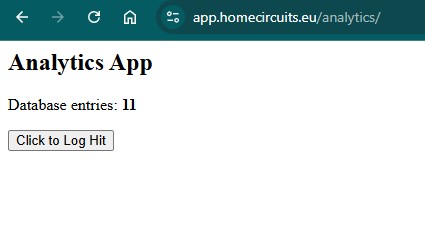
app.homecircuits.eu/-> A simple 200 “Online” message.app.homecircuits.eu/static/-> Points to the internal static-service.app.homecircuits.eu/analytics/-> Points to the Go/SQLite app.
location /static/ {
    proxy_pass http://static-service:80/;
    proxy_set_header Host $host;
}

location /analytics/ {
    proxy_pass http://analytics-service:8080/;
    proxy_set_header Host $host;
}
4. Debugging the “Final Bosses”
We ran into two major hurdles during this build:
The “No Such File” Error
Even when the Go build succeeded, the container would fail with stat /app/main: no such file.
The Fix: Ensuring the binary was built with CGO_ENABLED=0 to make it a truly static binary that doesn’t rely on libraries missing in the minimal Alpine image.
The DNSSEC Conflict
After setting up the tunnel, the site was still timing out or showing GitLab content. The Lesson: DNSSEC adds a layer of cryptographic signing that can conflict when you have multiple providers (GitLab + Cloudflare Tunnel) on the same domain. Turning off DNSSEC at the registrar and Cloudflare allowed the new CNAME records to propagate correctly.
The “502 Bad Gateway” Permission Trap
If your Go app crashes after adding a Docker volume, it’s likely a permission mismatch. Docker volumes often default to root ownership. Use this fix on the host machine:
sudo chown -R $USER:$USER ~/my-web-station/analytics-app/data
This ensures the containerized app can actually write to the SQLite database on your Pi’s disk.
Final Results
Now, my RPi5 sits quietly on my desk, serving a database-backed application to the world via a secure tunnel, while my main content remains safely on GitLab.