
Python

Turn Any Web App Into an AI Agent: MCP Skills for Platforms Not Built for Automation

Turn Any Web App Into an AI Agent: MCP Skills for Platforms Not Built for Automation

Most apps you rely on were never meant to be automated. They have a tap-here-tap-there UI for humans, a private backend, and no API in sight. This is about wrapping one of them — our office parking platform — as an MCP skill an AI agent can drive on its own, at midnight, every night. Eight tools. Eight failed payload guesses. Three independent ID spaces hiding behind every booking. And one bypass that really shouldn’t have worked.

The parking part is incidental. By the end you’ll have a recipe that works on the gym-booking site, the restaurant reservation page, the internal approval tool — anything with a web or mobile surface.

MCP Server in an Evening: Letting AI Manage Our Office Parking

MCP Server in an Evening: Letting AI Manage Our Office Parking

What if you could just say “reserve parking for tomorrow” to your AI tool and have it actually happen? We built a MCP server in one Python file (~650 lines, zero frameworks) that does exactly that. Setup time: under 5 minutes. Dependencies: two pip packages. And now any MCP-compatible AI tool — OpenCode, Claude Desktop, whatever — can check, create, and cancel our office parking reservations through natural language.

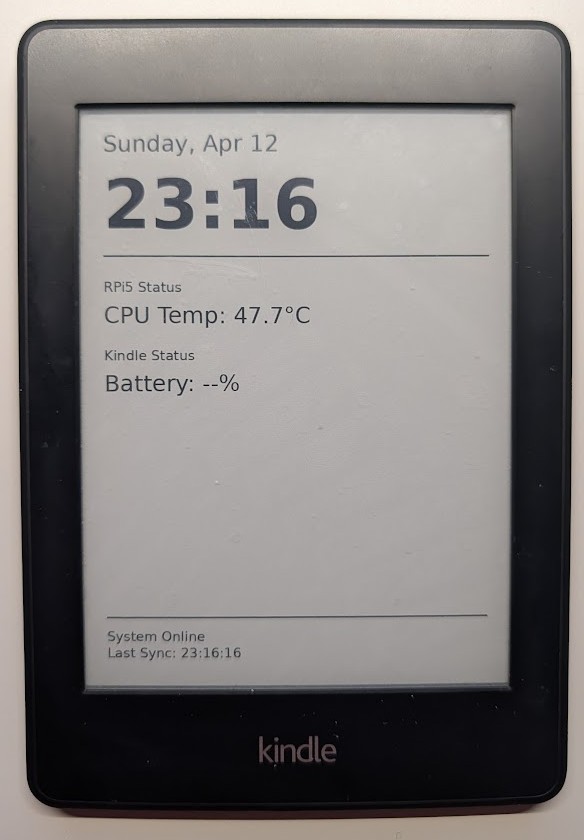
E-Ink Dashboard: Repurposing an Old Kindle Paperwhite with RPi5

Don’t throw away that old Kindle gathering dust in your drawer. With its high-contrast E-ink display and incredible battery life, it is the perfect candidate for a low-power home dashboard. In this post, I’ll show you how I turned a Kindle Paperwhite 2 into a 2-hour refreshing dashboard powered by a Raspberry Pi 5.